PancakeG mount
Fujifilm GF50mmF3.5 R LM WR
A 40mm-equivalent pancake that keeps the GFX50R about as compact as medium format gets: the classic street pairing.
Spin a 3D GFX50R, tap any dial or button to learn what it does, then take it apart to see what is inside. Each control comes with one way to use it better.
Drag to rotate, scroll or pinch to zoom. Tap a numbered point to learn what it does, or take the camera apart to see what's inside.
The accessories I'd buy again. Links open Amazon in your country.
A 40mm-equivalent pancake that keeps the GFX50R about as compact as medium format gets: the classic street pairing.
A 50mm-equivalent prime, light and sharp, often bundled with the GFX50R.
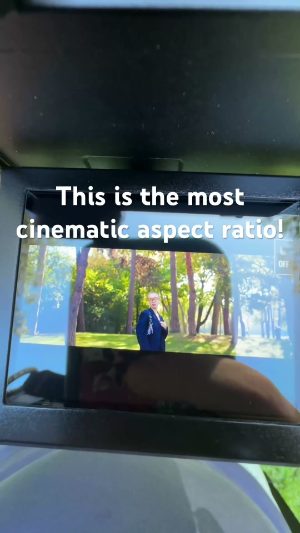
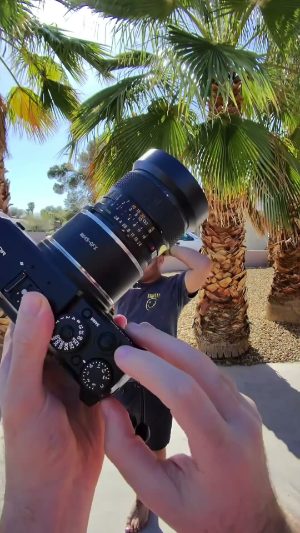
Old Mamiya 645 lenses cover the GFX sensor and give a classic look for little money, as in the channel short.
A 100cm nylon climbing-rope strap for neck or shoulder carry.
Deepens the slim grip and adds an Arca-Swiss tripod plate.
The big GFX battery: about 400 shots per charge. A spare covers a full day.
Both slots are UHS-II; 51MP RAW files are large, so a fast card keeps the camera responsive.
Affiliate links: I may earn a commission if you buy through them, at no extra cost to you.
A working copy of the GFX50R menu, laid out like the owner's manual: every tab, page and item. Click an item, or hover the simulator and use your arrow keys. The GFX50R has one menu for photos and movies: movie options are in the MOVIE SETTING tab. Press DRIVE for drive modes, including MOVIE. There is no mode dial: the shutter speed dial and the lens aperture ring set the exposure mode. Each item explains what it does and what to set it to.
Keyboard: arrows · Enter = MENU/OK · Backspace = DISP/BACK · Q · D = DRIVE
Select a bank in IMAGE QUALITY SETTING › SELECT CUSTOM SETTING, or from the first Q menu tile.
Coming soon The Recipe Lab, where you'll save your own recipes, preview them on real photos and load them in here.
Menu names and descriptions follow the official GFX50R owner's manual. Starting values in the simulator are typical defaults and may differ from your camera. Recommendations are mine.
The GFX50R picks its exposure mode from where the aperture ring and shutter dial sit, like a film camera. Set them here to see which mode you're in.
Reviews, video settings, accessories and trips, all shot with or about the GFX50R.
 11:51 The FUJIFILM GFX50R in 2026
 13:36 I took one Camera and one Lens to London | GFX50R
 7:26 The GFX50R in 2026 is still worth it.