Fujifilm Field Guideby @snapsbytaha
Rangefinder-style mirrorless · 2025

X-E5, taken apart.

Spin a 3D X-E5, tap any dial or button to learn what it does, then take it apart to see what is inside. Each control comes with one way to use it better.

40MP X-Trans CMOS 5 HRInterchangeable X mount7-stop IBISFilm simulation dial20 Film Simulations
Get one

Buy the X-E5

If this guide helped and you want your own, buying through this link supports the channel at no extra cost to you.

Check price

Affiliate link: I may earn a commission if you buy through it.

3D explorer

Turn it over in your hands

Drag to rotate, scroll or pinch to zoom. Tap a numbered point to learn what it does, or take the camera apart to see what's inside.

Drag to rotate
Loading model
ControlsProduct images: Fujifilm.
Gear I recommend

What I put on my X-E5

The accessories I'd buy again. Links open Amazon in your country.

Lenses

Kit pancakeX mount

Fujifilm XF23mmF2.8 R WR

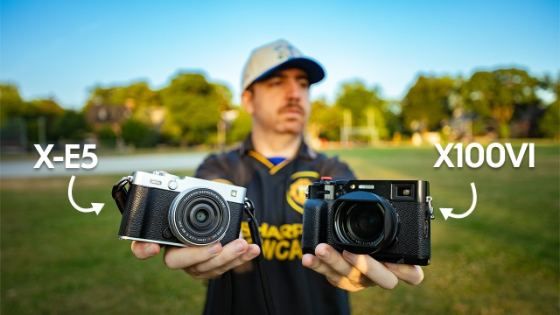
The lens sold with the X-E5: a 35mm-equivalent view in a 23mm-long, 90g pancake, weather-sealed, with an aperture ring. It keeps the camera pocketable. Buying the camera too? The X-E5 kit comes with this lens.

PancakeX mount

Fujifilm XF27mmF2.8 R WR

A slightly tighter 40mm-equivalent view in an equally flat lens. A natural street and everyday focal length.

Fast primeX mount

Fujifilm XF35mmF1.4 R

The classic 50mm-equivalent lens with soft, glowing rendering wide open. Small enough to stay balanced on the X-E5.

WideX mount

Fujifilm XF18mmF2 R

A compact 27mm-equivalent wide-angle for travel and interiors that still fits a jacket pocket on the X-E5.

Affiliate links: I may earn a commission if you buy through them, at no extra cost to you.

Menu simulator

A working copy of the X-E5 menu, laid out like the owner's manual: every tab, page and item. Click an item, or hover the simulator and use your arrow keys. Press DRIVE to change drive mode; choosing MOVIE switches to the movie menus, just like the camera. Each item explains what it does and what to set it to.

    BACK EXIT

    Keyboard: arrows · Enter = MENU/OK · Backspace = DISP/BACK · Q · D = DRIVE

    Film recipes

    Saved in your custom banks

    Select a bank in IMAGE QUALITY SETTING › SELECT CUSTOM SETTING, or from the first Q menu tile.

    Coming soon The Recipe Lab, where you'll save your own recipes, preview them on real photos and load them in here.

    Day-one setup

    21 settings worth changing

    0 of 21 done

      Menu names and descriptions follow the official X-E5 owner's manual. Starting values in the simulator are typical defaults and may differ from your camera. Recommendations are mine.

      Mode finder

      There's no mode dial

      The X-E5 picks its exposure mode from where the aperture ring and shutter dial sit, like a film camera. Set them here to see which mode you're in.

      Watch

      X-E5 on my channel

      Reviews, video settings, accessories and trips, all shot with or about the X-E5.

      Subscribe to @snapsbytaha

      Shorts