Kit zoomX mount
Fujifilm XC15-45mmF3.5-5.6 OIS PZ
The lens sold with the X-M5: a light 23–69mm-equivalent power zoom with optical stabilization, which matters on a body without IBIS. Buy it as the X-M5 kit rather than on its own.
Spin a 3D X-M5, tap any dial or button to learn what it does, then take it apart to see what is inside. Each control comes with one way to use it better.
If this guide helped and you want your own, buying through this link supports the channel at no extra cost to you.
Affiliate link: I may earn a commission if you buy through it.
Drag to rotate, scroll or pinch to zoom. Tap a numbered point to learn what it does, or take the camera apart to see what's inside.
The accessories I'd buy again. Links open Amazon in your country.
The lens sold with the X-M5: a light 23–69mm-equivalent power zoom with optical stabilization, which matters on a body without IBIS. Buy it as the X-M5 kit rather than on its own.
A 40mm-equivalent view in a lens barely thicker than a body cap. With it the X-M5 really does fit a jacket pocket.
A 35mm-equivalent pancake: the classic street and everyday view, weather-sealed, with an aperture ring.
The classic 50mm-equivalent lens with soft, glowing rendering wide open. Small enough to stay balanced on the X-M5.
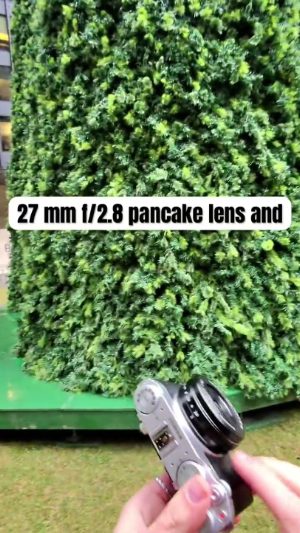
A compact 27mm-equivalent wide-angle for travel, interiors and vlogging at arm's length.
Screws onto both pancake lenses. The 1/8 strength softens highlights and adds a gentle glow without making photos look hazy.
A 100cm nylon climbing-rope strap for neck or shoulder carry. Fits the X-M5's strap eyelets.
Adds a proper finger hold and an Arca-type plate for tripods. It comes with a mic windscreen and a cold shoe adapter, handy for vlogging.
Slides into the hot shoe and gives your thumb something to hold. Small enough to leave on all the time.
A slim wrist strap that cinches down when you need it and quick-releases from its anchor when you want a neck strap instead.
Two spare batteries and a charger that does both at once over USB. A spare is the most useful thing to carry, especially if you shoot video.
Screws onto the back of the X-M5 and plugs into its fan connector, so long 4K and 6.2K takes run longer before the camera gets too warm. Set its speed in COOLING FAN SETTING.
A fast UHS-I card that handles 4K and 6.2K video. The X-M5 slot is UHS-I, so a pricier UHS-II card would not be any faster here.
Affiliate links: I may earn a commission if you buy through them, at no extra cost to you.
A working copy of the X-M5 menu, laid out like the owner's manual: every tab, page and item. Click an item, or hover the simulator and use your arrow keys. Turn the mode dial above the screen to switch between photo modes, C1–C4 and movie (MOVIE and Vlog switch to the movie menus, just like the camera); press DRIVE for drive modes. Each item explains what it does and what to set it to.
Keyboard: arrows · Enter = MENU/OK · Backspace = DISP/BACK · Q · D = DRIVE
Turn the mode dial to C1–C4 to use a bank. Each one can hold photo or movie settings (IMAGE QUALITY SETTING › CUSTOM MODE SETTING).
Coming soon The Recipe Lab, where you'll save your own recipes, preview them on real photos and load them in here.
Menu names and descriptions follow the official X-M5 owner's manual. Starting values in the simulator are typical defaults and may differ from your camera. Recommendations are mine.
The X-M5 has a proper mode dial on top, from full AUTO to manual, four custom banks and two movie modes. Pick a position to see what it does and when to use it.
Reviews, video settings, accessories and trips, all shot with or about the X-M5.
 7:26 The Fujifilm X-M5, 2 years later
 11:51 A SMALL camera that packs a HUGE punch! FUJIFILM X-M5 REVIEW
 10:23 Is the Fujifilm X-M5 the BEST Camera for Creators?
 14:53 BEST FUJIFILM XM5 settings For video!